cancel
Showing results for 
Search instead for 
Did you mean: 

Get Fabric Certified for FREE during Fabric Data Days. Don't miss your chance! Request now

Reply
Anonymous
Not applicable

How to compare 4 previous fiscal year cost with current Fiscal year cost in line chart

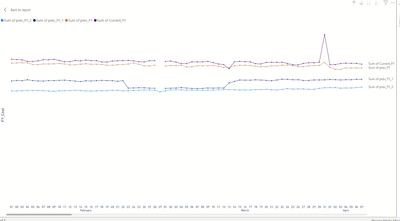
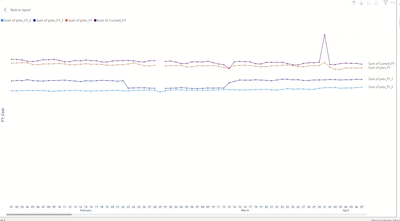
How to compare previous Fiscal years cost with current fiscal year in a line chart? Fiscal year starts from Feb 01 and ends in jan 31. I have added 4 colums for this but it is taking long time to load as its direct query from bigquery and table is 600GB. I wanted to know optimized solution. also i chart without scroll bar. all years without days but with day level datapoints. like shown in 2nd chart. but with separate line for each Fiscal year and month starting from feb and ending in jan

ganes_0-1705851200929.png

chart 2

ganes_1-1705851213997.png


3 REPLIES 3
Anonymous
Not applicable

Hi @Greg_Deckler 
Request you to please assist.

Anonymous
Not applicable

Hi @Greg_Deckler Sorry, for confusing you. I am attaching sample dataset and pbx file describing what I am looking to acheive. basicaly I want the graph day by day interval and starting point Feb for all years. In below chart 1, data is plotted accurately day by day. but without Year in x-axis And  more optimized solution. so that Chart loads faster. Also, I should be able to filter on all FY years. Currently filter is not working for me.


Chart 1
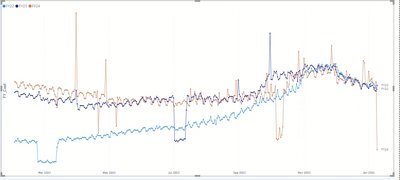
ganes_0-1705864498299.png


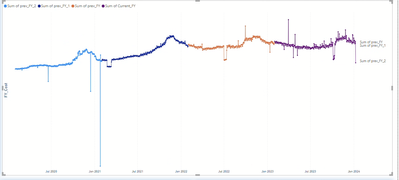
Chart 2 

ganes_1-1705858882641.png

Problem with Chart 2 is I am not able to see complete Fiscal year (all month starting from Feb to jan) in single view. I don't want to scroll to see the comparision.

Greg_Deckler
Community Champion
Community Champion

@Anonymous Hard to know exactly what you want. The linked video may help. Sorry, having trouble following, can you post sample data as text and expected output?
Not really enough information to go on, please first check if your issue is a common issue listed here: https://community.powerbi.com/t5/Community-Blog/Before-You-Post-Read-This/ba-p/1116882

Also, please see this post regarding How to Get Your Question Answered Quickly: https://community.powerbi.com/t5/Community-Blog/How-to-Get-Your-Question-Answered-Quickly/ba-p/38490

The most important parts are:
1. Sample data as text, use the table tool in the editing bar
2. Expected output from sample data
3. Explanation in words of how to get from 1. to 2.


You may find this helpful - https://community.powerbi.com/t5/Community-Blog/To-bleep-With-Time-Intelligence/ba-p/1260000

Also, see if my Time Intelligence the Hard Way provides a different way of accomplishing what you are going for.

https://community.powerbi.com/t5/Quick-Measures-Gallery/Time-Intelligence-quot-The-Hard-Way-quot-TITHW/m-p/434008


Follow on LinkedIn
@ me in replies or I'll lose your thread!!!
Instead of a Kudo, please vote for this idea
Become an expert!: Enterprise DNA
External Tools: MSHGQM
YouTube Channel!: Microsoft Hates Greg
Latest book!:
DAX For Humans

DAX is easy, CALCULATE makes DAX hard...

Helpful resources

Announcements
Fabric Data Days Carousel

Fabric Data Days

Advance your Data & AI career with 50 days of live learning, contests, hands-on challenges, study groups & certifications and more!

October Power BI Update Carousel

Power BI Monthly Update - October 2025

Check out the October 2025 Power BI update to learn about new features.

FabCon Atlanta 2026 carousel

FabCon Atlanta 2026

Join us at FabCon Atlanta, March 16-20, for the ultimate Fabric, Power BI, AI and SQL community-led event. Save $200 with code FABCOMM.

Top Solution Authors