Forum Discussion

"Do not summarize" missing
- 11 years ago
tkaczmarczyk unfortunately, unlike Power Pivot in Excel, the Desktop does not support "Do not summarize" right now. The only way to get rid of those Sum symbols is to mark your columns as text instead of number (so you can have your Year column of data type Text and not Whole Number).
Not elegant by any means but helps in the short run until it gets fixed, hopefully soon...


 Community Champion
Doesn't exist in the service.

Hmm. But I do see that the feature in itself exists: https://support.powerbi.com/knowledgebase/articles/471200-change-the-aggregation-in-a-chart-sum-average-m.
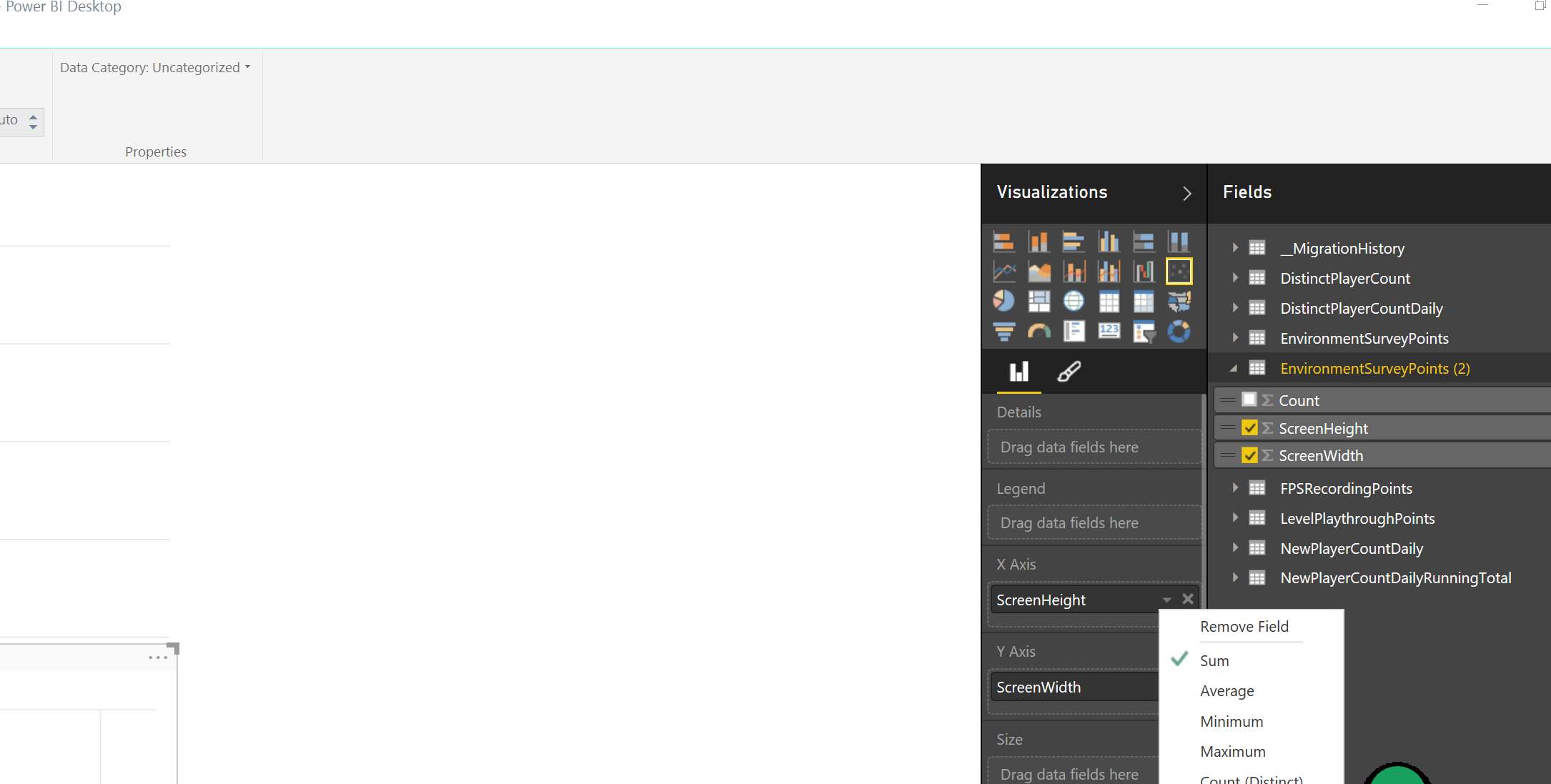
And I arrive at the exact same result when using Power BI Desktop - can't treat numeric fields in any way that's not summarized, rendering a lot of scenarios unavailable (e.g. it's impossible to generate a scatter plot).
- Greg_Deckler11 years ago
That link didn't work, but yes, it exists in Excel and Desktop.
 mstefancik11 years ago
Advocate IV
I agree rendering many situations is impossible, just speaking about simple scenario when you want to plot days of month on x axis.
- Greg_Deckler11 years ago
Here is the idea for it, can't believe it only had 1 vote when I went to it:
- tkaczmarczyk11 years agoRegular Visitor
Oops. Had a period at the end of the link. This one should work better: https://support.powerbi.com/knowledgebase/articles/471200-change-the-aggregation-in-a-chart-sum-average-m - and this implies that this feature exists somewhere, but I can see it neither in the browser-based Power BI service nor in Power BI Desktop:
Do you see that option for your data sets? Perhaps it's a bug with the way Power BI handles Azure SQL.