Forum Discussion

ERROR: Can't display the visual
I am getting this error message whenever I try to add any data element to the design surface.
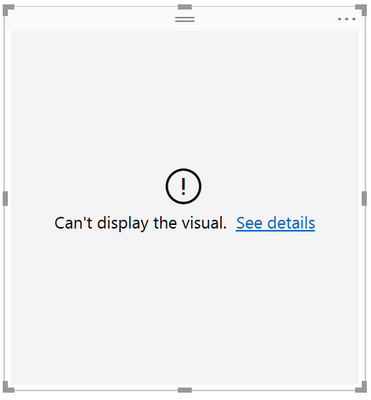
This happens to me no matter what data source I use, even when connecting to a simple Excel spreadsheet. I believe it has to do with my machine being a corporate domain connected computer, and there may be a GPO setting that is not allowing something to work properly. I notice that when I start Power BI Desktop, I get the following output in my Application log in Event Viewer -

With the detail of the error being -
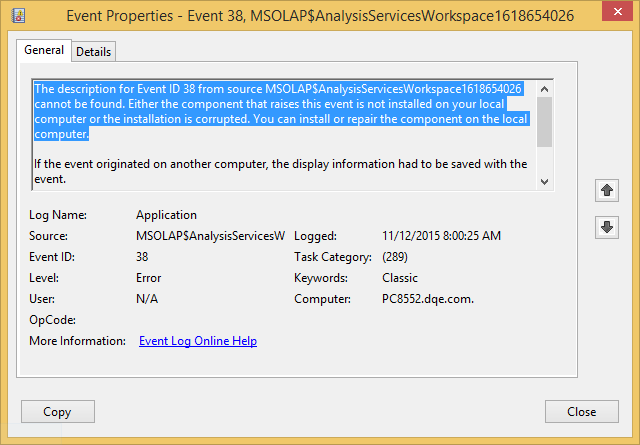
I believe that Power BI Desktop spins up a little in-memory OLAP space which it uses as it's workspace, and I think something on my machine is keeping the OLAP service from running. I just need someone to help point me in the right direction so I can get this resolved.
Thanks so much!
Sanjay
7 Replies
 AnonymousNot applicable
Facing the same issue. Need help
 Y-GoharzadRegular Visitor
Same Error ! None of them shows !
- AnonymousNot applicable
Hi,
I was facing the same error with all visualizations. Tried using different data sources as well. I tried uninstalling and re-installing, but nothing worked.
Finally, I formatted my laptop and re-installed Power BI and now it is working fine.
 sanjay_akutRegular Visitor
I tried the same thing and it worked for me until that new machine had group policies applied to it. This allowed me to narrow it down to some group policy on my domain that is causing the issues since I can disconnect from the domain and clear out policies to make it work. Then I can reconnect to the domain and it still works until I force a group policy update, then it stops working.
Has your newly formatted machine had policies applied yet? You could try a gpupdate to see what happens.