Forum Discussion

 Helper IV
Create Previous Week Filter?
- 10 years ago
If you need to have as a slicer different custom time periods you need to use "disconnected slicers" and measures for all time periods. Search in powerpivotpro.com as there are many articles about it like:


 Responsive Resident
You could try the following solution seen here:
just change the filter to <7
http://community.powerbi.com/t5/Service/How-to-show-data-in-dashboard-for-current-month/m-p/9430
The following syntax worked for me: Date Filter = DATEDIFF(max('Date'[Date]), now(),DAY)
 cwayne75810 years ago
Thank you very much for your response PowerBIGuy. Unfortunately, I do not think this solution is working for my particular case (or I am mistakenly doing something)
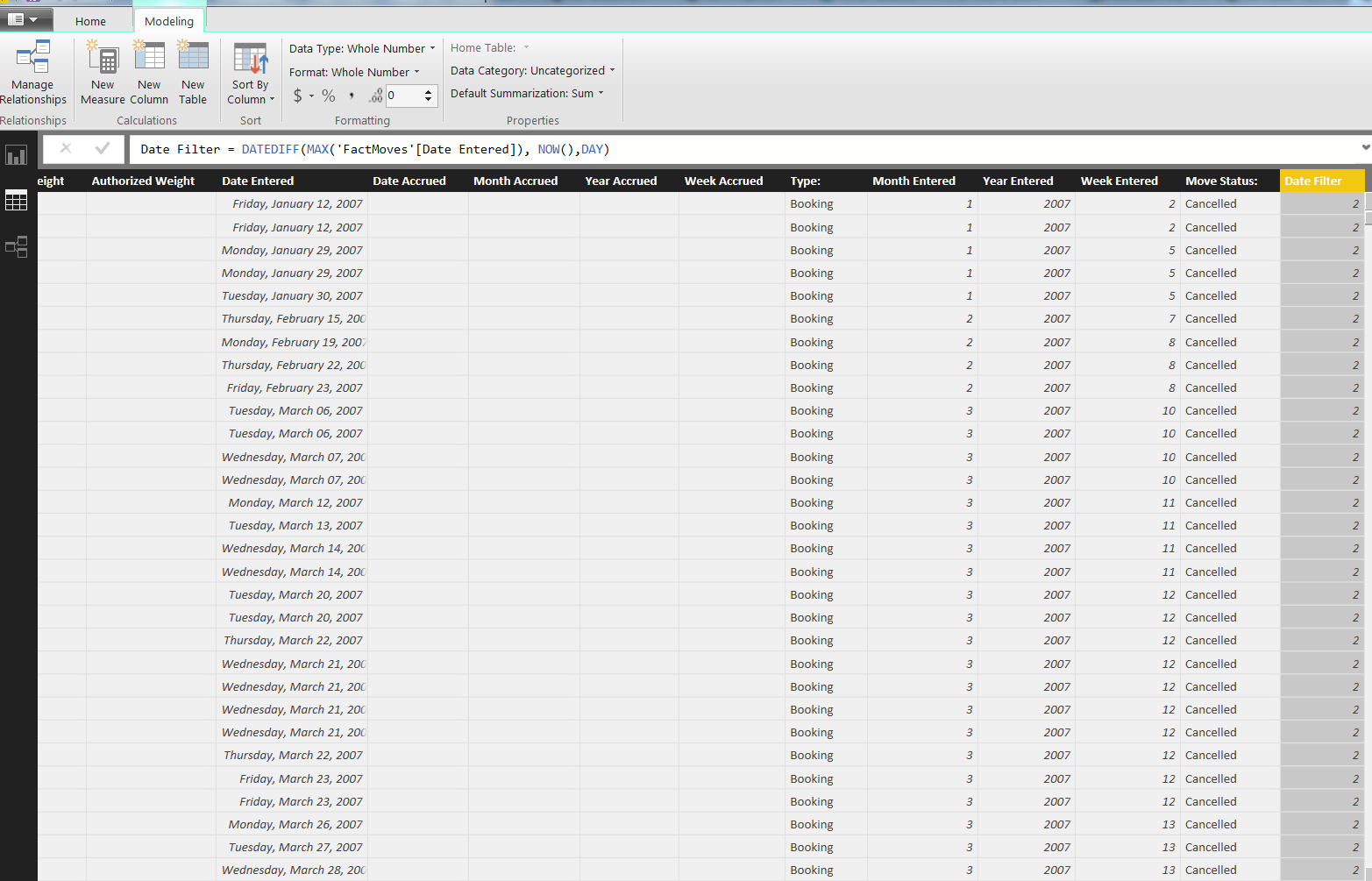
Below is my usage of your suggestion.
I'm trying to create a column that lists each date as within the "Previous Week", if not, "Null"
Thank you again for your suggestions!
- PowerBIGuy10 years ago
Maybe it's your data model. my example uses a date dim. Sorry it didn't work out.
- cwayne75810 years ago
I think it very well could be.
I retried, this time using my DateStream date table from Azure Marketplace
Error message: In DATEDIFF Function, Start Date cannot be greater than End Date.
When I switch my Start Date to reference dates in my FactTable, and End Date to reference dates in my DateStream table, my only result is 2.
Again, thank you for your replies!
 ALeef10 years ago
Resolver II
cwayne758 : Are you needing to do this a lot? As in, do you need to be able to look at records that were entered only in the week previous to -right now-, or do you need to be able to look at a range of dates, and say "Well, the week of Jan 7,2007 had X Bookings, and the previous week had Y Bookings"?
If you only need to analyze the week leading up to right now, this point in time, just modify your query to only pull records with dates that are after NOW() -7.
If you need the latter, we need a bit more information about your data model. Then you are looking at creating measures based on what you need to see - like bookings in the previous week. etc...
- cwayne75810 years ago
ALeef I do this regularly, so it would definintely be the later.
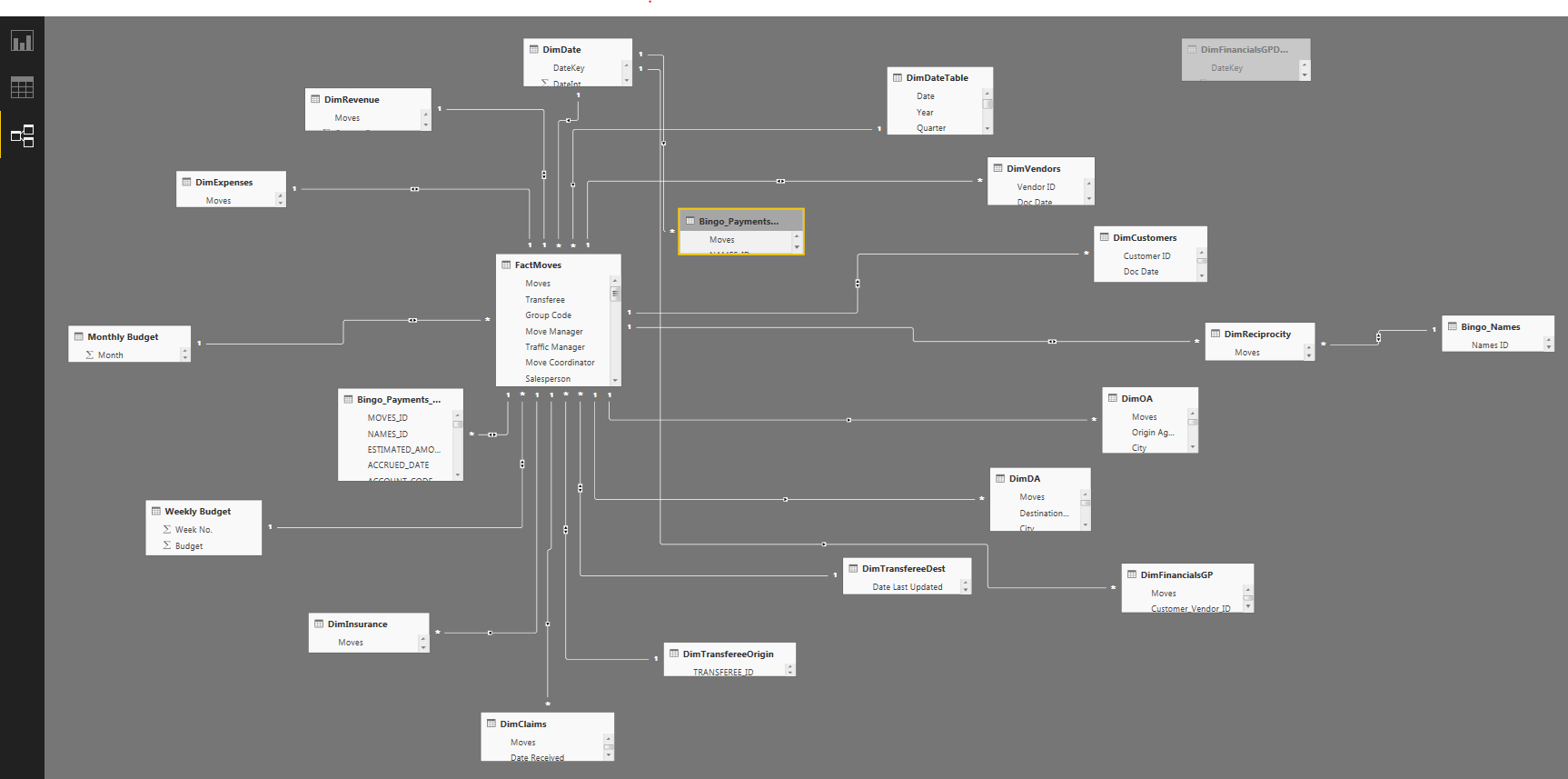
Below is an image of my (amorphopus) data model. Im using two DimDate tables as they are connected to two distinct Date fields in my Fact Moves table and I need to be able to call on those date ranges at different points in my report.